Using R to Denormalise Data for Analysis in Kibana
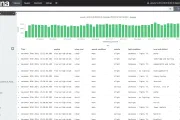
Kibana is a tool from Elastic that makes analysis of data held in Elasticsearch really easy and very powerful. Because Elasticsearch has very loose schema that can evolve on demand it makes it very quick to get up and running with some cool visualisations and analysis on any set of data. I demonstrated this in a blog post last year, taking a CSV file and loading it into Elasticsearch via Logstash.
This is all great, but the one real sticking point with analytics in Elasticsearch/Kibana is that it needs the data to be denormalised. That is, you can’t give it a bunch of sources of data and it perform the joins for you in Kibana - it just doesn’t work like that. If you’re using Elasticsearch alone for analytics, maybe with a bespoke application, there are ways of approaching it, but not through Kibana. Now, depending on where the data is coming from, this may not be a problem. For example, if you use the JDBC Logstash input to pull from an RDBMS source you can specify a complex SQL query going across multiple tables, so that the data when it hits Elasticsearch is nice and denormalised and ready for fun in Kibana. But, source data doesn’t always come this way, and it’s useful to have a way to work with the data still when it is like this.